
Intelligent Workplace Inspections

See the Risk.
Own the Resolution.

Record observations and photos on site, confirm every finding, follow each corrective action to closure, and issue the inspection report, all from one inspection record.

In developmentNot yet available for public access

The inspection process

From Observation to Resolution.

One record carries the inspection from the first thing you notice on site to the corrective action that closes it.
  1. 01

    Start the Inspection

    Choose the site and its regulatory context, and Safety Resolve opens a numbered inspection record. Everything that follows belongs to it.

    Implemented
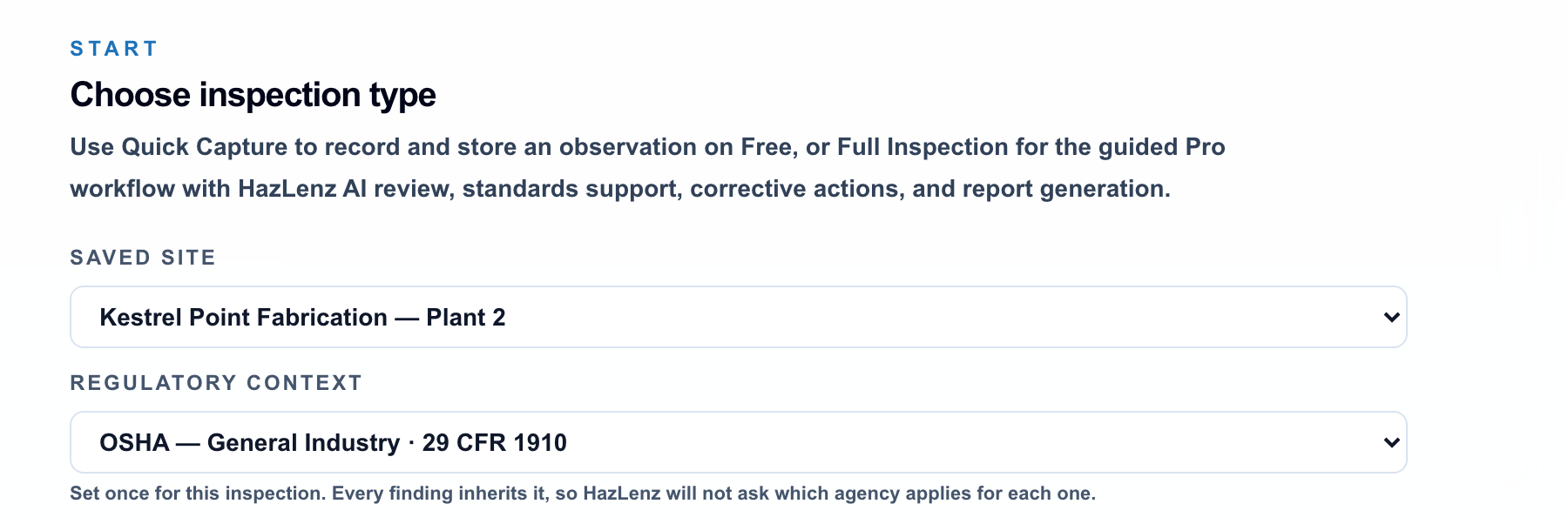
    The Safety Resolve inspection setup screen. A saved site, Kestrel Point Fabrication, Plant 2 (a fictional demonstration site), and the regulatory context OSHA General Industry are selected before a Full Inspection is started.
    Application screenshot, synthetic demonstration data.Open full size
  2. 02

    Document Conditions

    Describe each observation in your own words and attach photos to the inspection. Add as many as the walk needs and edit them later; each change is recorded.

    Implemented
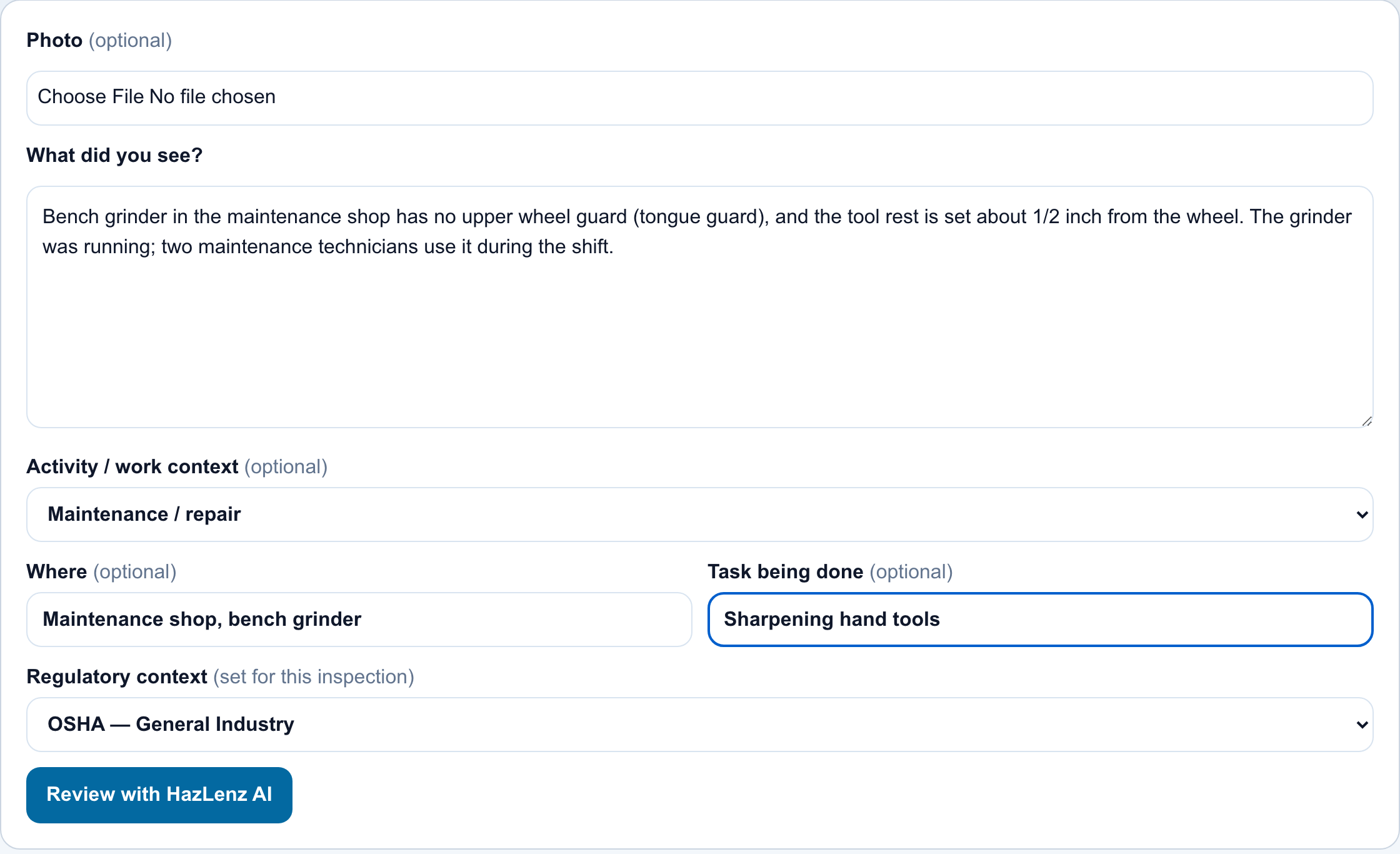
    The Safety Resolve observation form. The inspector has written a plain-language description of an unguarded bench grinder, chosen the activity Maintenance and repair, entered the location and task, and set the regulatory context before requesting review.
    Application screenshot, synthetic demonstration data.Open full size
  3. 03

    Review Findings

    Each observation is organized into candidate findings with suggested standards. You confirm or dismiss each one, set its risk rating, and add any hazard that was missed. A material risk change needs a written reason.

    Implemented
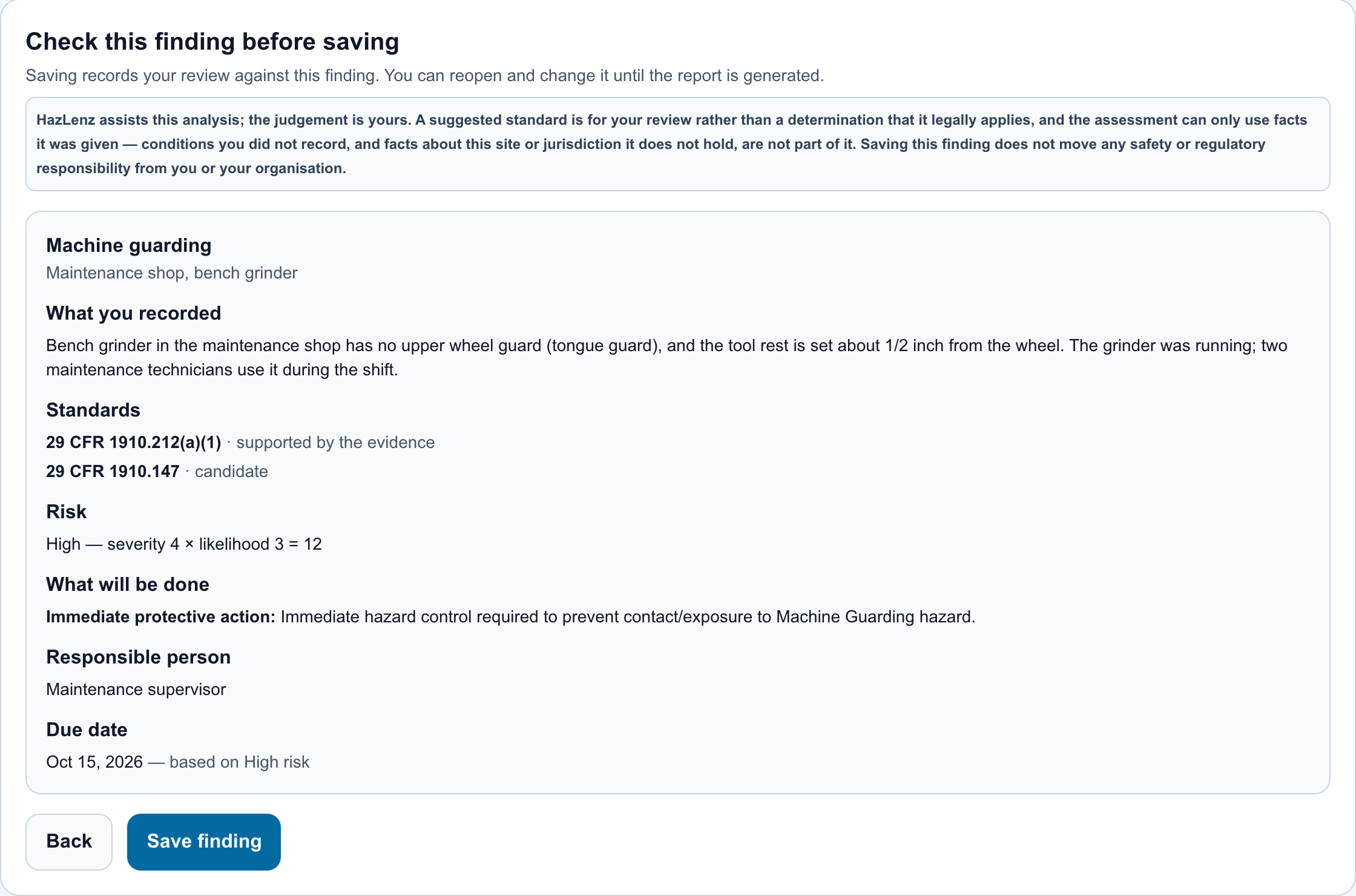
    The Safety Resolve finding review screen, titled Check this finding before saving. It lists the machine guarding finding with the inspector's recorded observation, two candidate standards, a risk rating of High, the planned protective action, the responsible person and a due date, under a notice that the judgement is the inspector's.
    Application screenshot, synthetic demonstration data.Open full size
  4. 04

    Manage Corrective Actions

    Each saved finding becomes a corrective action, with a priority and a due date set from its risk rating. Name the owner, adjust the date, and close it with notes.

    Implemented
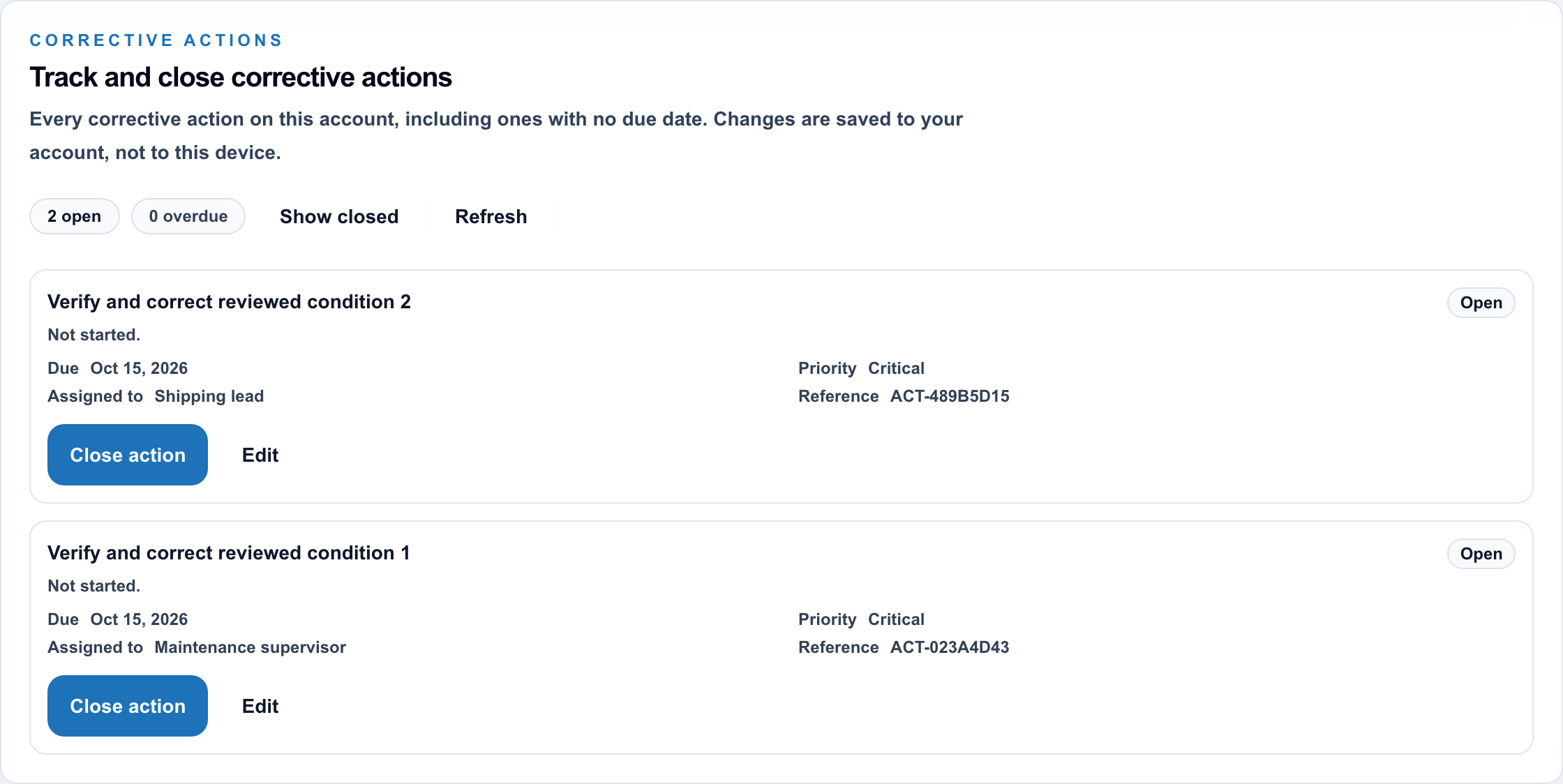
    The corrective actions list in Safety Resolve. Two open actions each show a due date, priority, the person assigned and a reference number, with Close action and Edit controls.
    Application screenshot, synthetic demonstration data.Open full size
  5. 05

    Generate the Report

    When every finding has been reviewed, finish the inspection and generate the report as a PDF. Revisions are kept, so the version you issued stays available.

    Implemented
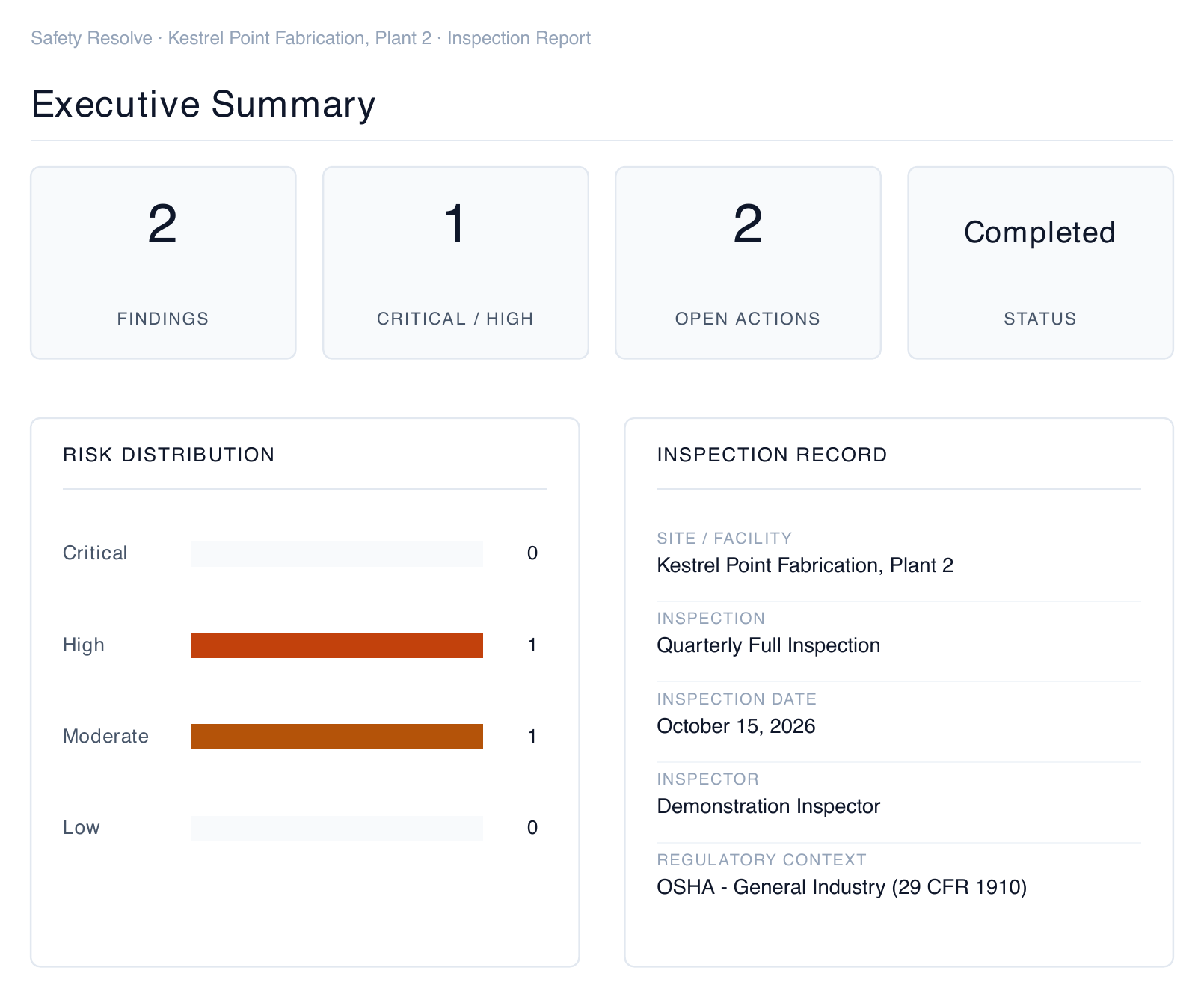
    The Executive Summary page of a Safety Resolve inspection report generated as a PDF. The running header reads Safety Resolve, Kestrel Point Fabrication, Plant 2, Inspection Report (a fictional demonstration site). Summary tiles show 2 findings, 1 critical or high, 2 open actions and a status of Completed, above a risk distribution chart and an inspection record panel listing the site, inspection, date, inspector and regulatory context.
    Application screenshot, synthetic demonstration data.Open full size

The engine inside

MILA helps you think it through. People decide.

MILA reads a written field observation and organizes it: the hazard present, what is exposed, the controls described, and what is missing. It is under active development and validation.
  • Built to rely on what you wrote and on referenced source material, not to guess.
  • Designed to hold an item for a person when information is missing, rather than assume.
  • Designed to run without any external AI service in its production path.

Where things stand

We would rather be plain about it

Safety Resolve is currently in development and is not yet available for public access. Here is how we label what we describe.
Implemented
Built and working in the current development software. This describes software behavior, not a regulatory outcome.
Under validation
Built, and still being tested. It has not been independently evaluated, and a person reviews its output before anything is relied upon.
Planned
Not built yet. A direction we intend to pursue, with no commitment and no date.

Interested, or evaluating?

We are glad to talk with prospective customers, partners and program reviewers, and to be specific about what exists and what does not.
Contact NextGen Safety Solutions